- Jan 16, 2025
How to Use Pinterest to Drive Traffic to Your Online Business
- Aneatra
- Tools & Resources
- 2 comments
📣 Share this on: Pinterest • Facebook • LinkedIn • Telegram • Blusesky • X
I may earn a commission if you purchase through my affiliate links. This helps support my business at no extra cost to you.
Don't have time for a full read? Hit play and listen to the blogcast!
Okay, let’s talk about Pinterest—because it’s not just for recipes and home decor inspo anymore.
It’s basically a secret weapon for online businesses like ours! Seriously, Pinterest has over 450 million people scrolling, pinning, and searching for ideas every single month. And guess what? Many of them are ready to shop, learn, and invest in what you have to offer.
So, if you’ve been wondering how to get more eyeballs on your biz without working 24/7, you’re in the right place. I’ve got you covered with a step-by-step guide that’ll have your Pins working overtime to grow your audience and boost your sales.
Ready to get started? Let’s do this!
Step 1: Set Up or Optimize Your Pinterest Business Account
Before diving into strategies, let’s make sure your foundation is solid.
Switch to a Business Account
If you haven’t already, head over to your settings and switch to a free Pinterest Business Account. It’s a no-brainer because business accounts give you access to Pinterest Analytics and the ability to run ads—both are key for growth.
Optimize Your Profile
Start by updating your profile name to include your business name and relevant keywords, like “Jane’s Digital Designs | Canva Templates & Tips.” Next, write a bio that highlights what you do and how you help, such as “Helping entrepreneurs create stunning Pins that grow traffic and sales—no design skills required!” Finally, don’t forget to claim your website to boost credibility and enable rich Pins.
Step 2: Focus on Pinterest SEO
Think of Pinterest as a visual search engine. Keywords are the key to showing up in searches, so let’s sprinkle them everywhere.
Keyword Research
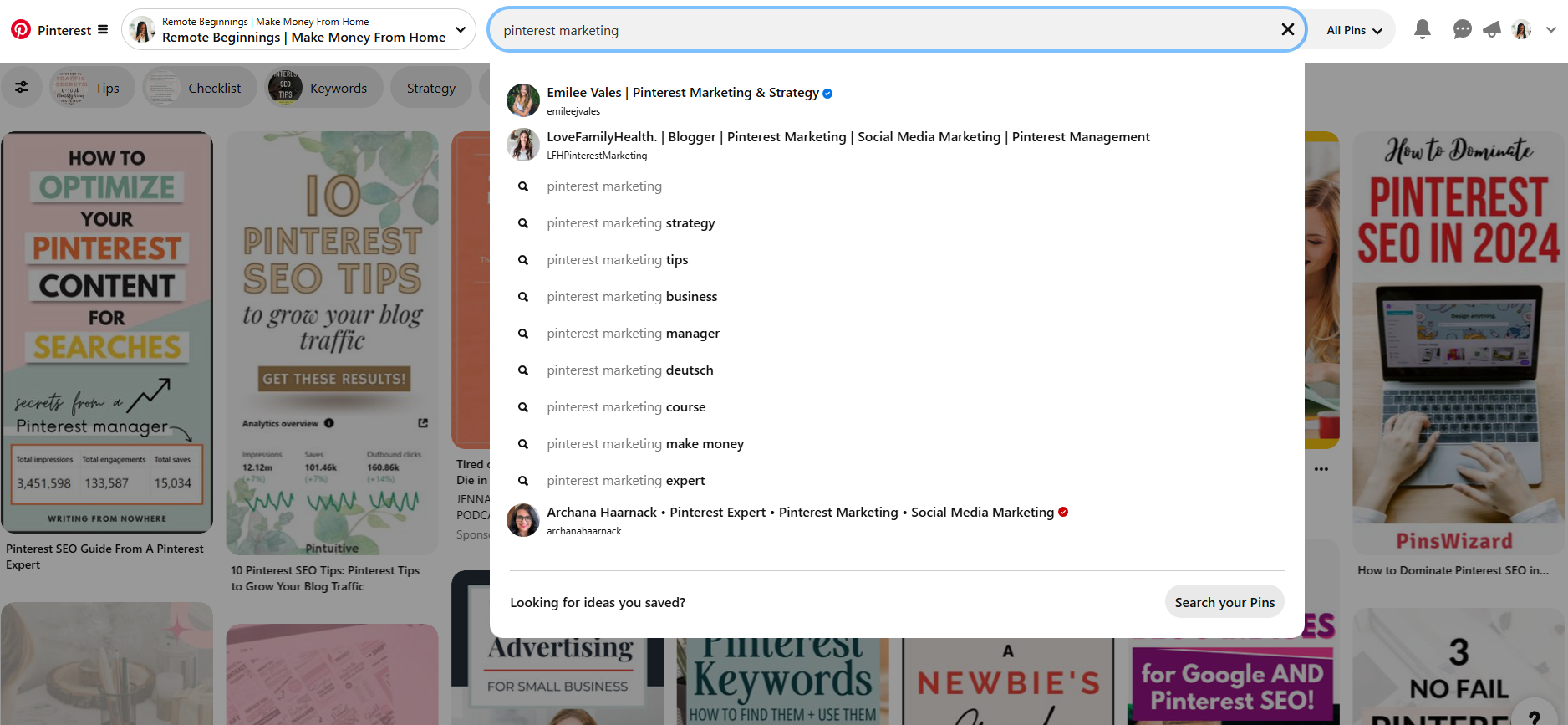
Use Pinterest’s search bar and note suggestions that pop up as you type. These are what people are actively searching for! Focus on terms like Pinterest marketing tips, how to use Pinterest for business, and how to make pins for Pinterest (Hint: keywords for this post!).
Where to Use Keywords
Make sure your keywords show up naturally in your board titles and descriptions, as well as Pin titles and descriptions. Don’t forget to add keywords to alt text for better accessibility and SEO.
You should also incorporate keywords directly into your Pin graphics by including text overlays. Adding keywords on your Pins not only catches attention visually but also reinforces your message and helps them show up in search results when users scan quickly. Plus, Pinterest can actually read the text on your Pins using image recognition, so including keywords in your graphics can improve your visibility even more!
Step 3: Create Click-Worthy Pins
Your Pins need to stand out in the scroll to grab attention and drive clicks.
Design Tips That Work
Stick to Pinterest’s recommended size of 1000 x 1500 px for optimal results. Use bold fonts and bright colors that pop, and don’t skip adding a clear Call-to-Action (CTA) like “Read the Blog” or “Download Now”. Once you’re more comfortable with the platform, you can test out other Pin sizes to see what resonates best with your audience.
When it comes to images, make sure they’re high-quality and visually engaging. Avoid using blurry or overly cluttered photos. Instead, choose images that align with your brand and clearly convey your message. Lifestyle shots, clean product images, or relatable scenarios tend to perform well.
Consider using contrasting colors to make your text stand out against the background. If your image has a busy background, overlay a semi-transparent color to ensure your text is still readable. Don’t be afraid to test out different styles to see what catches your audience’s eye.
Save Time with Templates
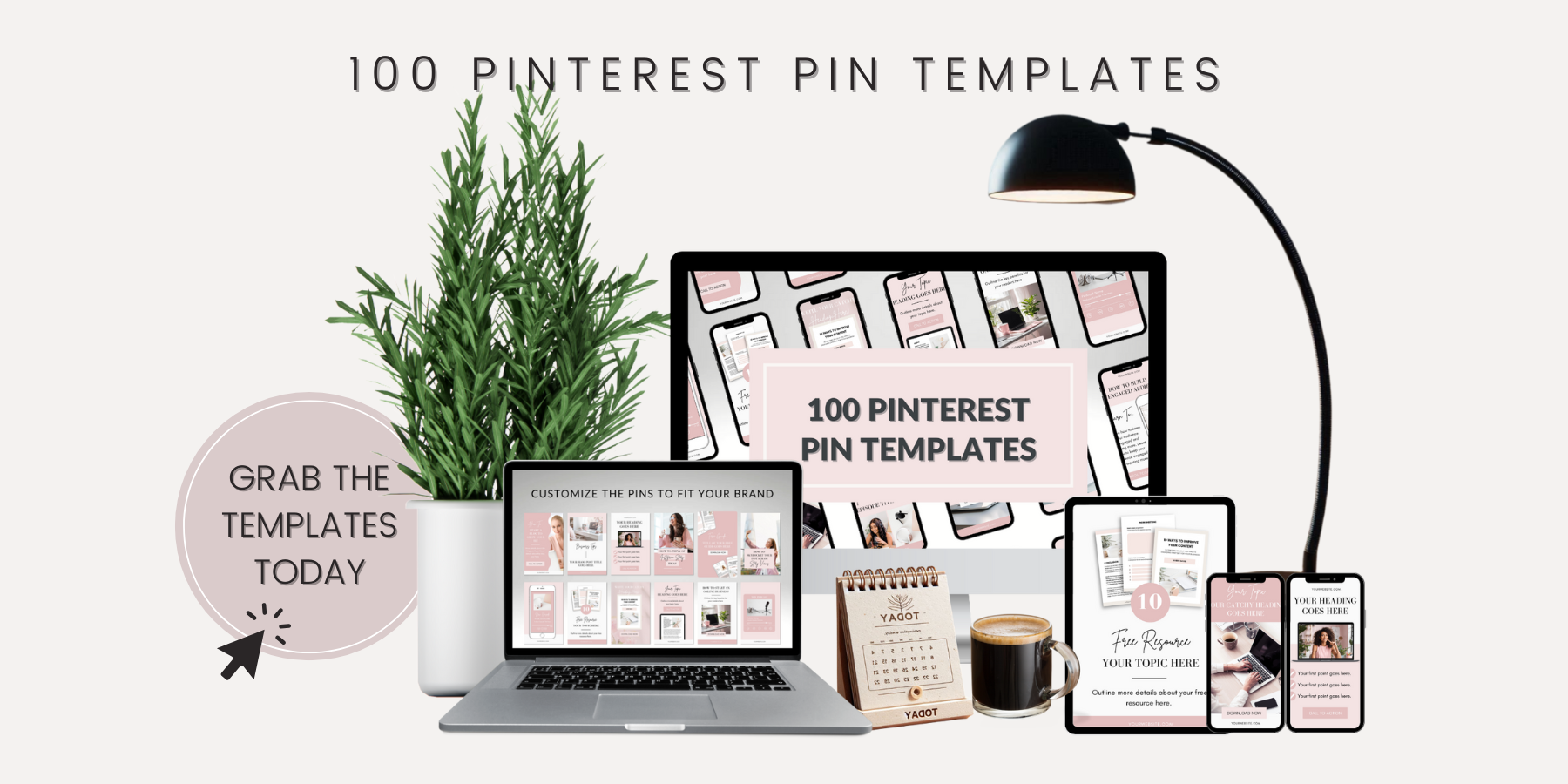
Not a designer? No problem! My 100 Pinterest Pin Templates take the guesswork out of creating eye-catching Pins. They’re fully customizable in Canva and perfect for blogs, products, tips, and announcements—ready to use in minutes.
Step 4: Organize Your Boards Strategically
Pinterest rewards organized and relevant boards.
Create Boards Around Key Topics
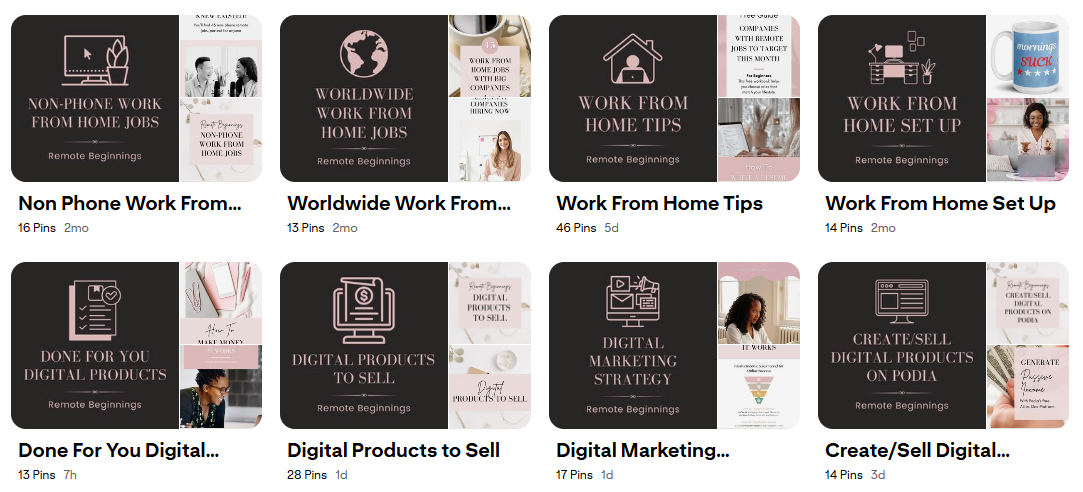
Use niche-specific topics (e.g., “Pinterest Marketing Tips,” “Passive Income Strategies,” etc.) and add at least 10 Pins per board to make it look full and engaging. When naming your boards, focus on keywords that people are likely to search for. Keep descriptions clear and specific to make it easy for Pinterest to categorize your boards.
Optimize Your Board Covers
Design branded covers using Canva for a cohesive look, and label them clearly so visitors instantly know what each board is about. Organized and visually appealing boards make your profile look polished and trustworthy, encouraging more people to follow you.
Step 5: Schedule Consistent Pins
Pinterest loves consistency, so instead of posting all at once, spread out your content.
Use Scheduling Tools
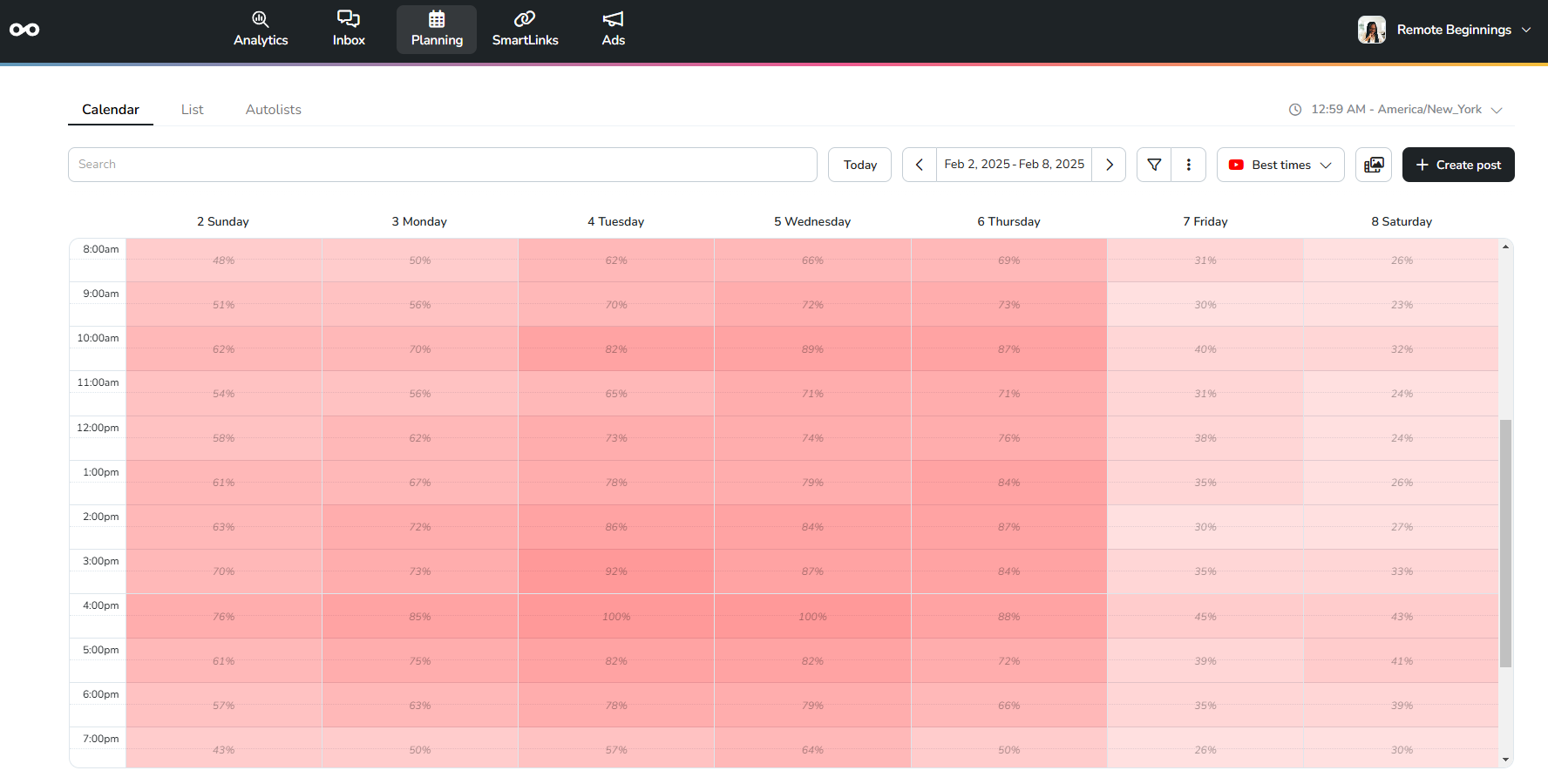
Tools like Metricool make it easy to schedule your Pins in advance so you can stay consistent without constantly being online. And unlike older strategies that recommend posting 10–15 times a day, you only need to post 2-5 Pins per day to see great results. Pinterest values quality over quantity, so focus on creating Pins that stand out rather than flooding your feed.
Repurpose Old Content
Refresh and re-pin older content with updated graphics and descriptions. Test different headlines and layouts to see what performs best. You can also repurpose content from other platforms like blog posts, Instagram Reels, or YouTube videos to create new Pins and maximize your reach.
Step 6: Analyze and Tweak for Growth
Keep an eye on your performance so you can double down on what’s working.
Track Analytics
Use Pinterest Analytics to monitor impressions, clicks, and saves. Pay attention to trends and tweak your strategy based on the data. Tools like Pinterest Trends, Metricool, and Google Analytics can give you even deeper insights into what’s driving traffic to your website.
Test and Experiment
Create multiple Pins for the same product or blog post by using different designs, headlines, and descriptions. Use A/B testing to see which designs or headlines perform best. This helps you determine what resonates most with your audience and refine your strategy over time.
Ready to Save Time and Boost Your Results?
Alright friend, as you can see Pinterest isn’t just another social platform. It’s a traffic-generating powerhouse waiting to work its magic for your business. From setting up your profile to creating Pins that pop, you’re now ready to start turning scrolls into clicks and clicks into sales. And trust me... Once you get the hang of it, you’ll wonder why you didn’t start sooner!
And why spend hours designing Pins when you can use my 100 Pinterest Pin Templates? These ready-made, customizable designs make it quick and easy to create Pins that stand out and drive clicks. So grab your templates today and start growing your audience faster than ever!
2 comments

Great information for me as I am new to blogging and was working on understanding Pinterest. This will be very helpful to me as I set up a new Piinterest account for my blog. Thank you.
It's my pleasure and I'm so glad you found it helpful! Pinterest is low-key and perfect for driving long-term traffic.
More Goodness For Your Journey
If you enjoyed this blog post, here are more supportive resources to help you on your way!
Work From Home
Learn how to find remote jobs, avoid scams, and more so you can finally begin to work from home!
Online Business
Get simple strategies to earn passive income and build financial freedom for you and your family.
Tools & Resources
Discover the best tools and resources to simplify your remote work or online business journey.
Hi, I'm Aneatra!
The owner and creative juice behind Remote Beginnings. I've also been blessed to work from home and grow my online business for the past 20 years. This is how I learned the ins and outs of earning a living remotely. You can learn more about me here.
Now I'm on a mission to help you do the same... Escape the grind, strengthen your family ties, and enjoy more freedom! No more having to choose between providing for your family or spending time with them when there's room for both.