- Apr 2, 2025
How to Write Blog Posts Faster with Content Batching
- Aneatra
- Tools & Resources
- 2 comments
📣 Share this on: Pinterest • Facebook • LinkedIn • Telegram • Blusesky • X
I may earn a commission if you purchase through my affiliate links. This helps support my business at no extra cost to you.
Don't have time for a full read? Hit play and listen to the blogcast!
Blogging sounds like a dream... Until you're staring at a blank page, feeling overwhelmed, and wondering how on earth people churn out content so fast. If you’ve ever spent hours (or days) on a single blog post, you’re not alone!
Between brainstorming ideas, writing, editing, formatting, and actually posting, blogging can easily eat up a lot of time. But what if I told you there’s a way to cut your blogging time in half (or more!) without sacrificing quality? You read that right.
The secret? Batching your blog content.
What is Content Batching & How Does It Work?
Batching is a time-saving content creation method where you group similar tasks together instead of switching between different activities. Instead of writing, editing, and publishing one post at a time, you complete multiple posts in a structured way. Like outlining all your topics in one sitting, drafting in another session, and editing them together later. This keeps your mind focused on one type of task at a time, making the entire process faster and less draining mentally.
You can even break batching into manageable chunks over the week. For example, on Monday, you brainstorm and outline topics. Tuesday, you draft blog posts. Wednesday, you edit. Thursday, you format and add graphics. Friday, you schedule everything. By the end of the week, you have content ready to go for an entire month without scrambling at the last minute for blog post ideas!
RELATED: How To Start A Blog For Free And Make Money
Blogging for beginners can be tough at first. The only thing I used to be consistent in was NOT being consistent... The irony! 😅
I've come a looong way though and getting better as I go. So if you’ve been struggling with consistency, feeling drained by the process, or just want to know how to write blog posts faster, this guide is for you!
Let’s dive into a simple step-by-step approach that will make blogging easier, more efficient, and dare I say—fun!

Step 1: Pick 2-4 Core Topics to Focus On
One of the biggest reasons blogging feels overwhelming? Decision fatigue. Staring at a blank page without a clear topic is a one-way ticket to frustration. That’s why the first step in batching is to plan your content in advance.
How to do it:
Brainstorm topics: Think about what your audience is asking. What are their biggest struggles? What do they want to learn? Check your/others' social media comments, blog comments, and your emails for inspiration.
Use trending topics: See what’s currently buzzing in your niche on Google Trends or similar platforms and tie it into your content. If people are searching for it, you know there’s demand!
Stick to 2-4 core topics per month: Instead of scrambling for new ideas every week, plan 2-4 main topics and create multiple posts around them. This keeps your content organized and easier to manage.
💡 Example: If you run a blog about digital products, your core topics for the month could be: "Creating Digital Products," "Marketing Your Digital Products," and "Passive Income Strategies."
Then, all your blog posts for the month will stem from these topics. Each blog post focuses on a different angle of the core theme/topic, making it easier to plan content while keeping everything cohesive.
Step 2: Outline All Your Blog Posts in One Sitting
Ever heard the phrase work smarter, not harder? This is where it comes in handy! Instead of writing one blog post at a time, batch your outlining process. Outlines act as roadmaps, making it easier to write later.
Here’s how:
Write quick outlines with headlines, key points, and CTAs (Call-To-Action).
Use a blog post template to streamline the structure (like listicles, how-tos, or educational posts).
Make sure each outline includes SEO-friendly elements like subheadings and keywords (hint: blog SEO is your friend!).
💡 Example: If your topic is "How to Sell Digital Products on Etsy," your outline could look like this:
Title: "How to Make Your First $500 Selling Digital Products on Etsy"
Intro: Share a relatable struggle about wanting to make passive income.
Step 1: Pick the right product.
Step 2: Optimize your Etsy listing with keywords (blog SEO tip: research trending Etsy keywords!).
Step 3: Promote your product using Pinterest and email marketing.
Conclusion: Encourage readers to start selling + CTA.
See how much easier that makes writing outlines, especially with a super simple blog post template!

Step 3: Write in Focused Sessions
If writing feels exhausting, chances are you’re spending too much time overthinking instead of just getting words down. So an easy fix is to write first and edit later.
Try this... Set a timer for 25-45 minutes and write without stopping (hello, Pomodoro technique!). Don’t edit while you write, just let the words flow. Use voice-to-text if you think faster than you type, or use ChatGPT if you get stuck on what to write.
Writing this way gets your first draft done quickly, which means way less frustration.
Step 4: Edit & Format Like a Pro
Once your drafts are done, it’s time to clean them up! This step is all about making your blog post easy to read and SEO-friendly. Editing is also crucial to ensure your blog post is clear, engaging, and professional.
Start by breaking up long paragraphs into shorter, digestible chunks. Large blocks of text can feel overwhelming, so keeping paragraphs concise makes your content scannable and more enjoyable to read.
Use headers, bullet points, and bold text strategically to highlight key points. Readers often skim before committing to reading an entire blog post, so formatting helps them quickly grasp the most important information.
Enhance your blog post with relevant, high-quality graphics. A well-placed image, infographic, or screenshot can reinforce your message and make the post visually appealing. This not only keeps readers engaged but can also improve your post’s SEO by increasing time spent on the page.
💡 Example: If your blog post is about "Blogging for Beginners," include an infographic summarizing the main steps. This keeps readers engaged and increases shareability.
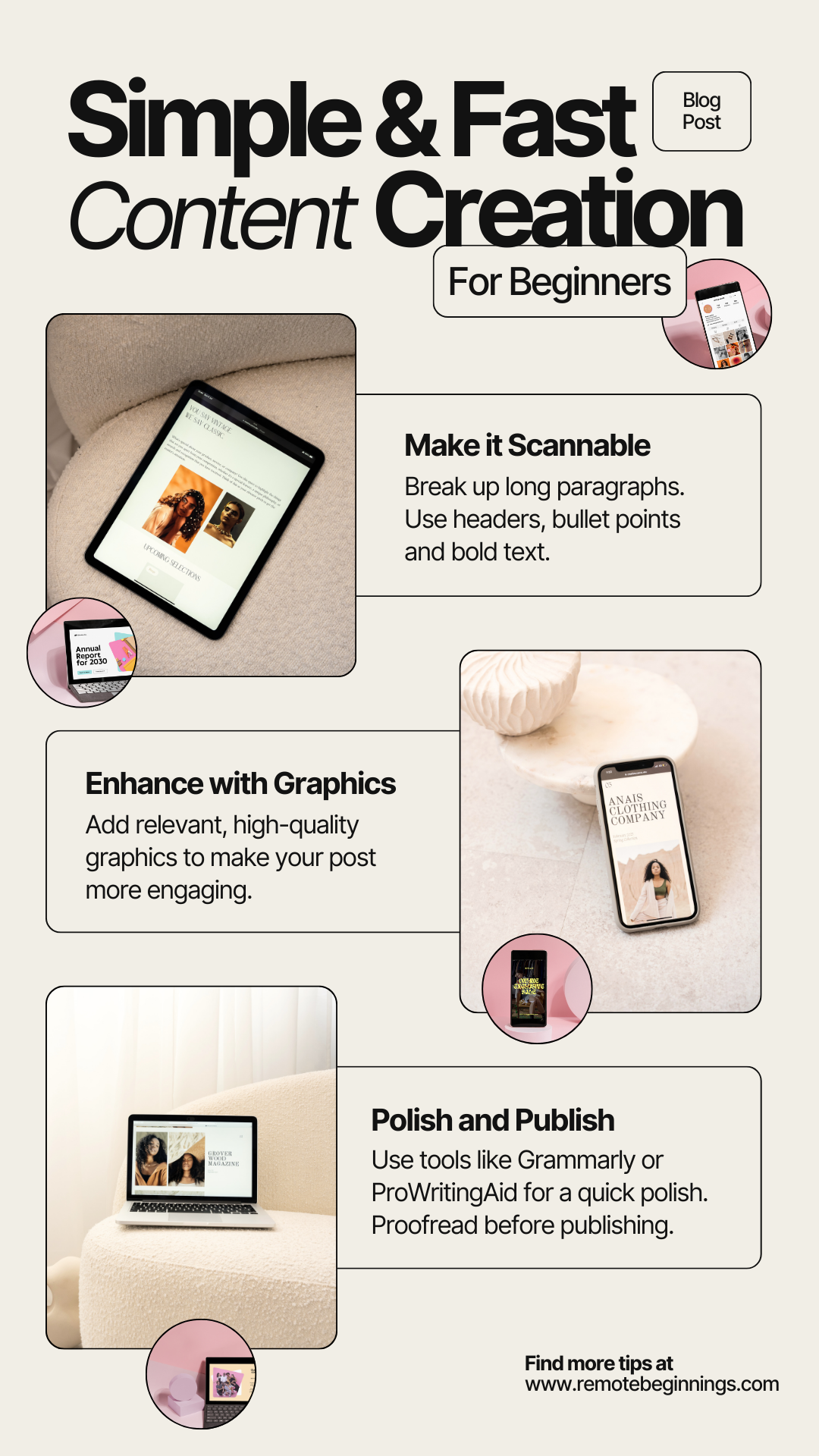
Don’t forget to proofread! Even the best writers need a second look. Run your post through tools like Grammarly or ProWritingAid to catch typos, awkward phrasing, or grammatical errors. These tools act as an extra set of eyes, ensuring your content looks polished and professional before publishing.
Step 5: Schedule & Repurpose for Maximum Impact
Now that your posts are polished, it’s time to schedule them in advance! This saves you from last-minute scrambling.
What to do:
Upload all your posts at once and schedule them out.
Use Metricool to automate social media shares.
Repurpose your blog content into Instagram captions, Pinterest pins, and emails.
Uploading and scheduling blog posts with Podia:
Instead of manually posting each blog post, you can save time by uploading all your posts at once and scheduling them in advance. Podia makes this process simple by allowing you to draft, format, and schedule posts within its platform.
This ensures your content is published consistently without you having to remember to hit "publish" every time. Plus, by scheduling ahead, you can focus on other aspects of your business while your blog runs on autopilot.
Using Metricool for social media automation:
Once your blog posts are scheduled, it’s time to make sure they get in front of the right audience. Metricool is a fantastic tool for scheduling and automating your social media shares. Instead of manually posting your blog updates on platforms like Instagram, Facebook, Twitter, and Pinterest, you can batch-schedule promotional posts all at once.
This means your blog content reaches your audience without you having to post every day, freeing up your time for more important tasks.
Repurposing blog content for multiple platforms:
Your blog post isn’t just a one-time piece of content. It can be repurposed into Instagram captions, Pinterest pins, email newsletters, and more. For example, take key points from your blog post and turn them into bite-sized Instagram carousel posts or Pinterest pins that drive traffic back to your blog. You can also send an email to your subscribers, sharing the highlights of your latest post and encouraging them to read the full article.
This multiplies the impact of each blog post and ensures your content continues working for you long after it’s published.

Tools for Bloggers That Make Batching Easier
Let’s be real—batching is amazing, but having the right tools makes it even better! Here are some must-have tools to choose from to make blogging easier:
AI Writing Tools: ChatGPT, Grammarly, ProWritingAid, Canva’s AI Magic Write, SurferSEO.
Content Organization: Asana, Notion, Google Drive, Trello, Evernote.
SEO & Scheduling: Podia, Metricool, Pinterest, Instagram.
Using any of these tools will drastically speed up your workflow, leaving you more time to focus on growing your business. 🙌
Grow Your Blog and Give Batching a Try Today!
So if you’ve been struggling to stay consistent with blogging or wondering how to write blog posts faster, batching is the answer. By planning ahead, outlining, and using time-saving tools, you’ll get more content done in less time with less stress. Ready to start your own blog or finally make blogging easier? Signup for a free 30-day trial of Podia and start batching your content today!

More Goodness For Your Journey
If you enjoyed this blog post, here are more supportive resources to help you on your way!
Work From Home
Learn how to find remote jobs, avoid scams, and more so you can finally begin to work from home!
Online Business
Get simple strategies to earn passive income and build financial freedom for you and your family.
Tools & Resources
Discover the best tools and resources to simplify your remote work or online business journey.
Hi, I'm Aneatra!
The owner and creative juice behind Remote Beginnings. I've also been blessed to work from home and grow my online business for the past 20 years. This is how I learned the ins and outs of earning a living remotely. You can learn more about me here.
Now I'm on a mission to help you do the same... Escape the grind, strengthen your family ties, and enjoy more freedom! No more having to choose between providing for your family or spending time with them when there's room for both.