- Apr 8, 2025
How To Start A Blog For Free And Make Money
- Aneatra
- Tools & Resources
- 0 comments
📣 Share this on: Pinterest • Facebook • LinkedIn • Telegram • Blusesky • X
I may earn a commission if you purchase through my affiliate links. This helps support my business at no extra cost to you.
Don't have time for a full read? Hit play and listen to the blogcast!
If you want a quick and easy way to start a blog for free AND make money with it... Booyyy do I have some golden nuggets of goodness for you!
And if you're just starting out in the world of digital products and feeling a tad overwhelmed, fear not my friend! I'm here to spill all the tea on how to start a blog for free and make money using Podia. Why you might ask? For starters, it's the bomb for an aspiring new blogger such as yourself!
Podia is more than just a platform—it's your one-stop-shop for creating, selling, and growing your digital product empire. Whether you're selling eBooks, online courses, or templates, Podia's got your back with its user-friendly interface, customizable sales pages, and integrated marketing tools.
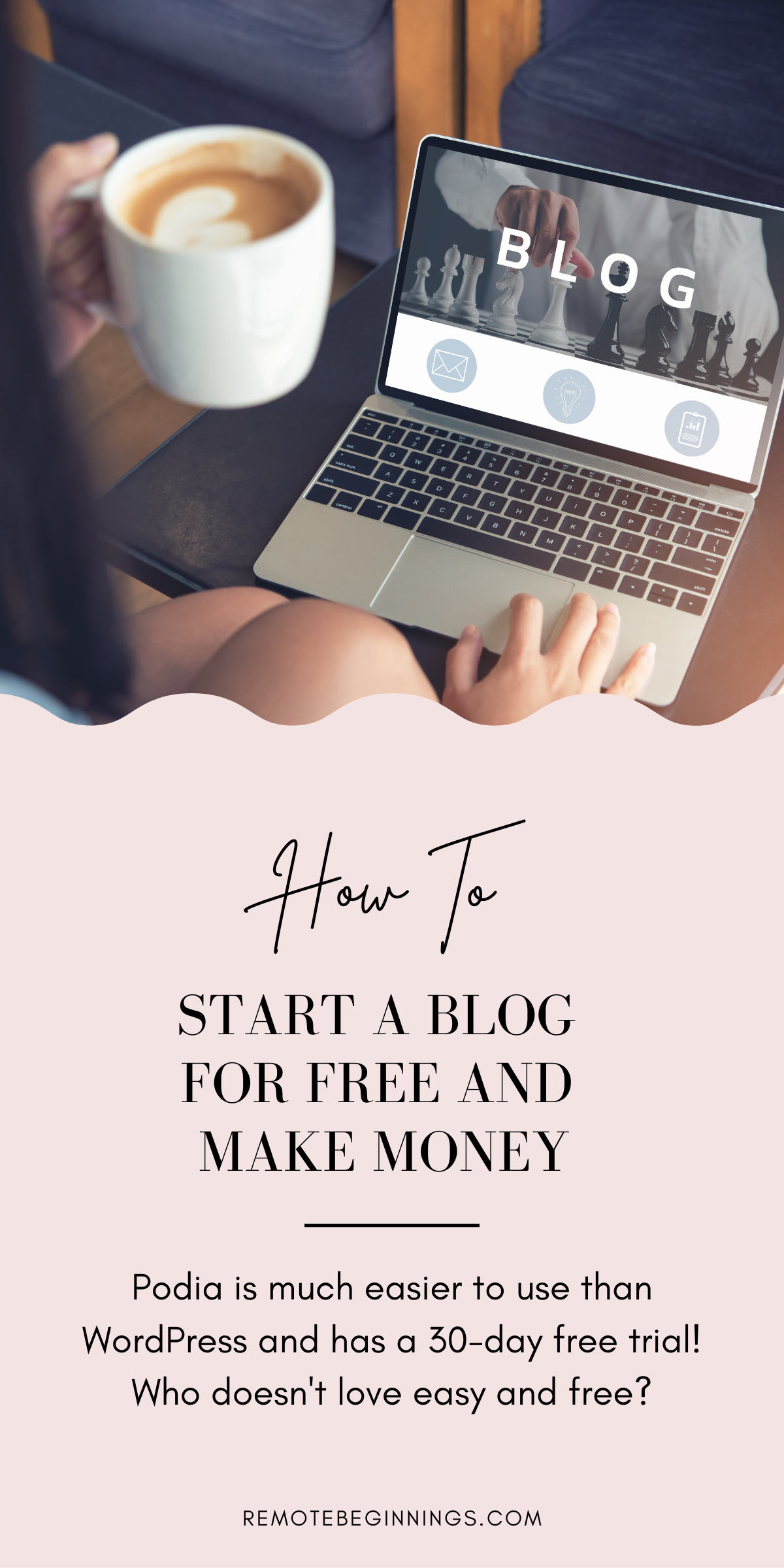
Plus it's much easier to use than WordPress and has a 30-day free trial! Who doesn't love easy and free? 😍
This in itself is a lifesaver when most of your paycheck is dedicated to bills, leaving you little left over to work with. Podia also saves you lots of time and headaches since it's super easy to use. This way you're able to jump right in and set up your entire business on the platform in just a few days.
But why add a blog to the mix? Ahhh, now we're getting to the good stuff! Picture this: You've got your shiny new digital product ready to hit the virtual shelves, but how do you get the word out? That's where your trusty blog comes into play.
Think of your blog as your digital megaphone, amplifying your voice and spreading the word about your amazing products far and wide. Plus, it's the perfect platform to share your expertise, connect with your audience on a deeper level, and establish yourself as a bona fide authority in your niche.
Now that we've covered the why, let's dive into the how. To start a blog for free on Podia is as easy as pie, even for total tech noobs. Here is a quick guide on how to get set up.
Step 1: Sign Up for Podia
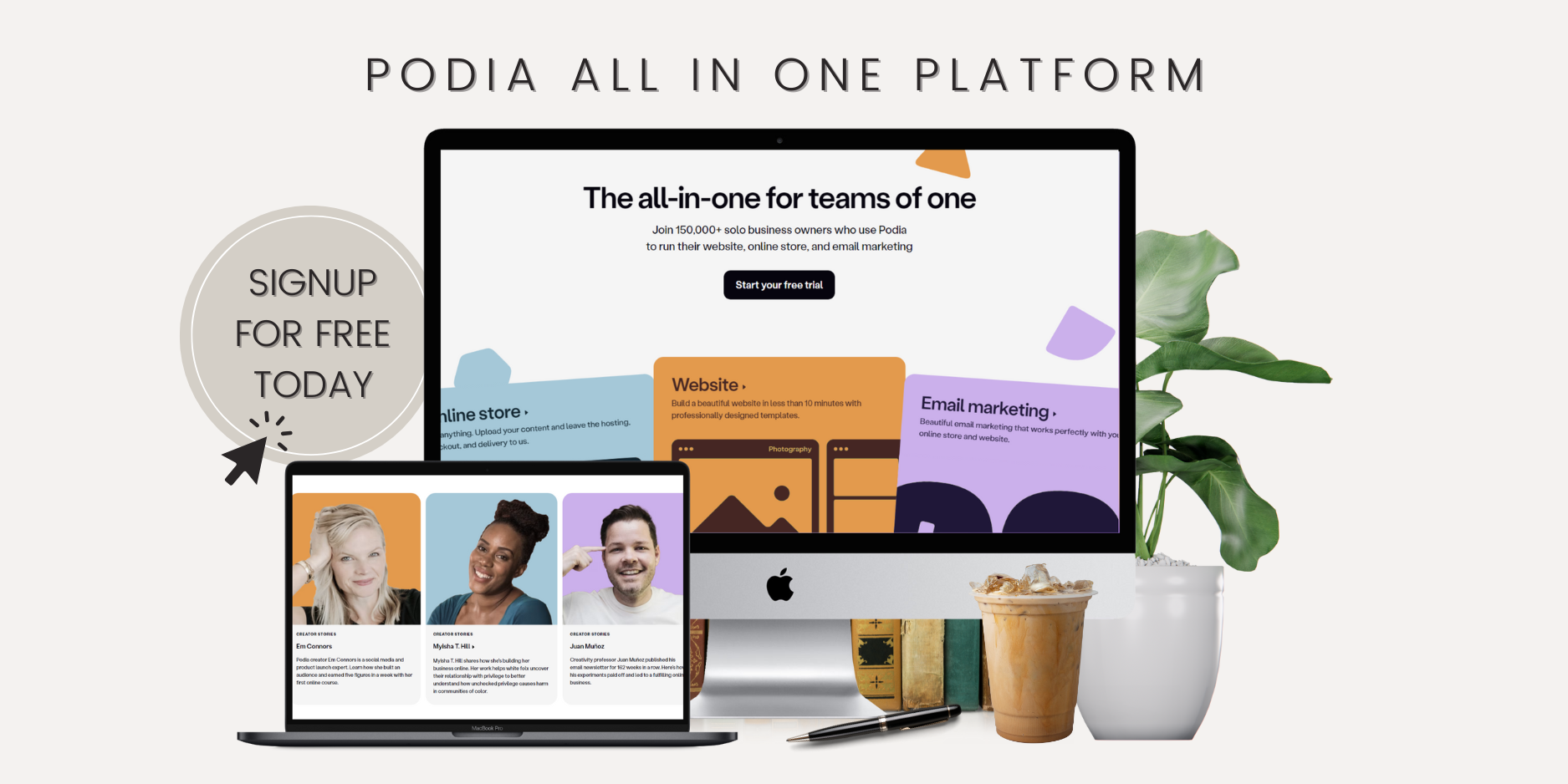
First things first, head over to Podia and sign up for an account. Don't worry; it's quick, painless, and totally free to get started. However, I suggest upgrading when you can to benefit from the perks that come with it.
Step 2: Start Writing
Now for the fun part—start writing! If you already have an existing blog, you can import it over to Podia.
If you're starting from scratch, just be sure to have a niche in mind. Choosing a niche is a crucial step in starting a successful blog. A niche is a specific topic or area of interest that your blog will focus on. Picking a niche helps to:
Attract a Target Audience: A well-defined niche allows you to attract readers who are genuinely interested in your content.
Establish Authority: Blogging about a specific topic helps you become an authority in that area, which can lead to more loyal followers and opportunities.
Monetize Effectively: Advertisers and sponsors prefer blogs with a clear focus, as it ensures their promotions reach a relevant audience.
When choosing your niche, consider your passions, expertise, and the potential audience interest. Popular niches include lifestyle, health and wellness, finance, travel, and personal development.
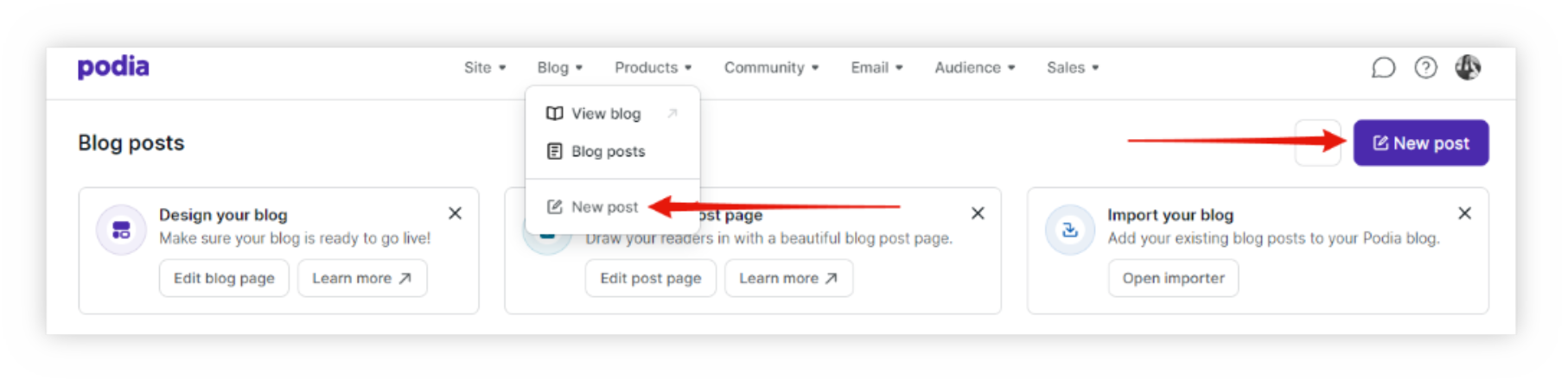
Once that is decided upon, click 'Blog' from the menu options at the top and select 'New post' to open the blog editor. You can also click the 'New post' button to open the editor as well.
Then whip up some killer content that showcases your expertise, entertains your audience, and, most importantly, promotes your digital products. This is one of the easiest ways you can start making money with your blog.
You can also do affiliate marketing by promoting Podia or any other products and services in your blog posts as well. This is another great way to make money from blogging, especially when you're just starting out.
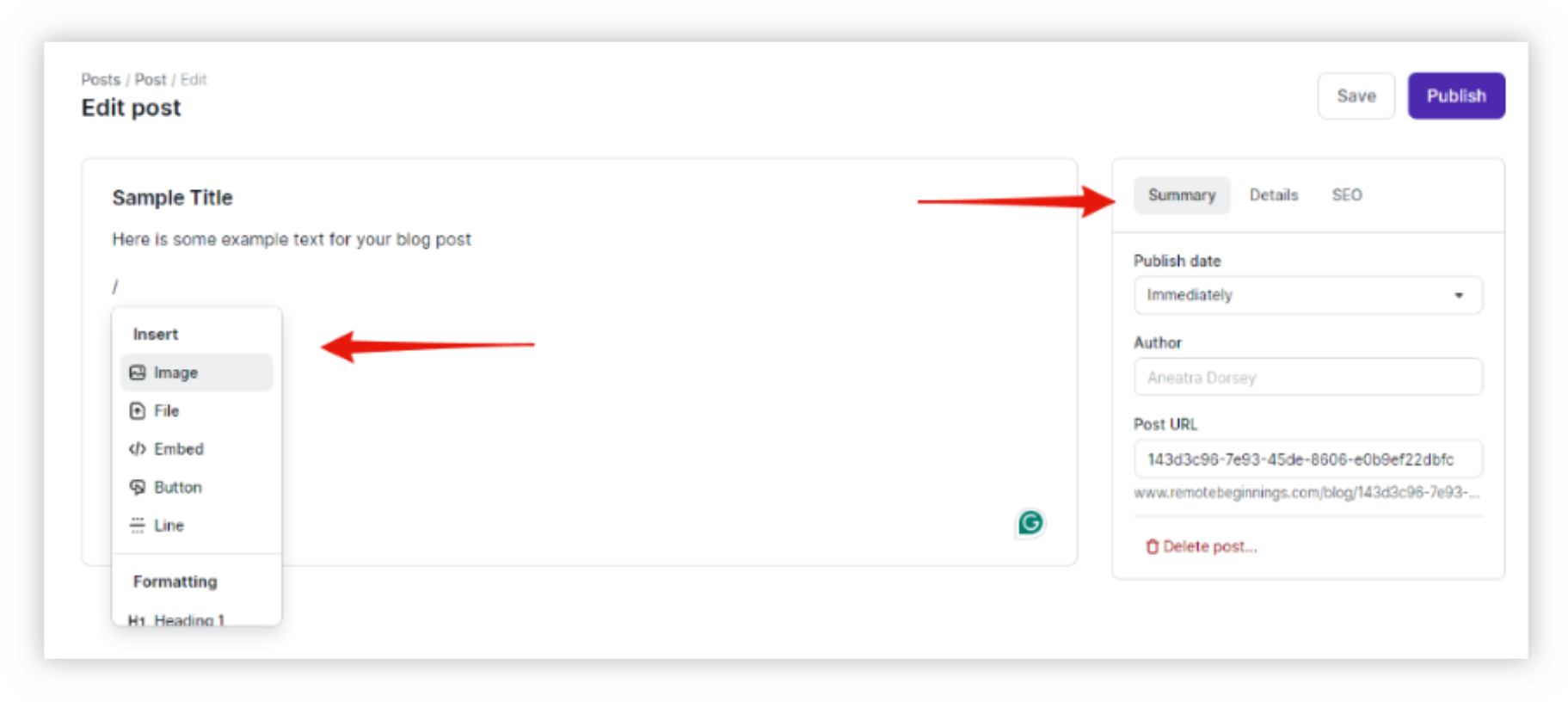
All you have to do is type a forward slash (/) to open the dropdown menu and select whichever options you prefer to promote your digital products or affiliate links. The dropdown menu is also how you add custom fonts, videos, files, and more! Plus the Summary, Details, and SEO tabs on the right help boost your visibility on search engines.
Speaking of SEO, it's super important to have a good keyword strategy to drive traffic to your blog. And when it comes to blog posts, keyword count and placement depend on the length of your content and SEO best practices. Here’s a simple breakdown:
1. Primary Keyword (Main Focus)
Choose one primary keyword that aligns with your blog topic and audience’s search intent.
Use it naturally about 3-5 times in a 1,000-word blog post (or roughly once every 200 words).
2. Secondary & LSI Keywords (Supportive Terms)
Sprinkle in 2-3 related keywords (synonyms, variations, and supporting terms) to avoid keyword stuffing.
Example: If your main keyword is "how to start a blog for free," variations could be "how to start a blog and make money," "start a free blog," "blogging for free," or "how start a blog for beginners." etc.
LSI stands for Latent Semantic Indexing, which sounds super fancy, but it just means related keywords that help search engines understand your content better. They're a closely related term or phrase that naturally connects to your main keyword. It’s not necessarily a synonym, but it provides context to help Google figure out what your blog is about.
Let’s say your primary keyword is "work from home jobs." Some LSI keywords could be: remote jobs, online job opportunities, best work-from-home careers, or flexible online work.
Google sees these terms together and understands, “Oh, this post is really about remote work opportunities!” This helps your blog rank for more relevant searches. So LSI or related keywords are important because they help you avoid keyword stuffing (so you don’t have to repeat the same phrase awkwardly). They also boost SEO by making content more natural and relevant and increase your chances of ranking for multiple search queries.
3. Keyword Placement Checklist (Where to Use Them)
✅ Title – Include your primary keyword (ideally at the start).
✅ URL – Keep it short and keyword-rich.
✅ Meta Description – Naturally fit in your keyword here for better click-through rates.
✅ Introduction (First 100 Words) – Mention your primary keyword early.
✅ Headings (H1, H2, H3, etc.) – Add keywords in at least one subheading.
✅ Body Content – Distribute naturally without forcing it.
✅ Image Alt Text – Use descriptive alt text that includes a keyword.
✅ Conclusion – Repeat the main keyword naturally.
Bookmark this blog post to save the checklist for later. It can help you keep track so you don't miss any placements.
4. Keyword Density (How Many Times?)
A safe rule of thumb: 1-2% of total word count.
If your post is 1,000 words, that’s 10-20 times total (split between primary and secondary keywords).
Google prioritizes natural readability, so don’t stress about exact numbers—focus on flow and value for your readers.
So whether you're sharing helpful tips, telling engaging stories, or offering behind-the-scene peeks into your creative process, the key lies in good blog SEO to get your content noticed and keep your audience coming back for more.
Step 3: Design Your Blog Layouts
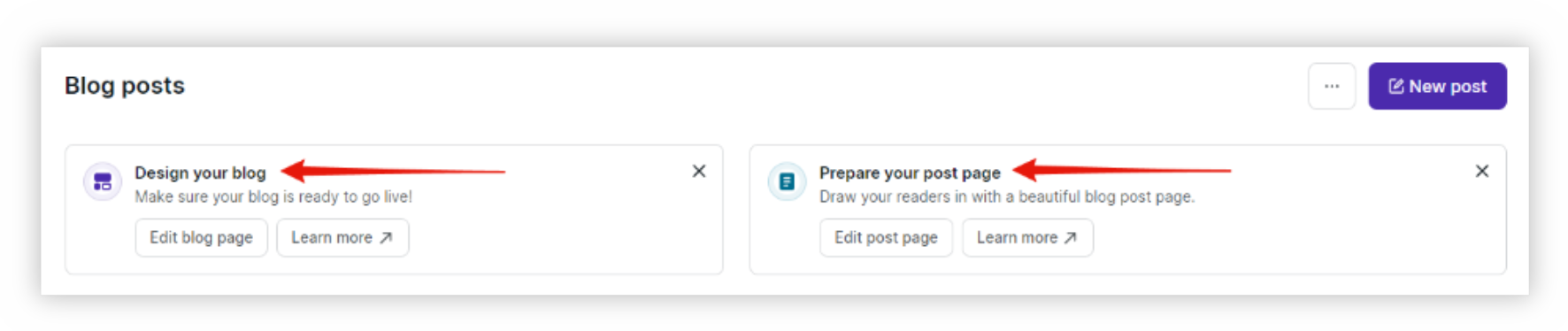
Once you're done writing your post, it's time to design your blog to match your vibe. Your blog’s design is the first thing visitors will notice, so it's important to create a cohesive and attractive brand design.
Here are a few helpful tips that can go a long way:
Logo: Design a simple and memorable logo that represents your blog’s niche and personality.
Color Scheme: Choose a color palette that reflects your brand’s vibe. Use these colors consistently across your blog and social media.
Typography: Select 2-3 complementary fonts for headers, body text, and accent text to maintain a clean and professional look.
Imagery: Use high-quality images and graphics that align with your brand’s aesthetic. Tools like Canva can help you create custom visuals.
Podia also offers a variety of sleek and stylish customization options that you can apply with the click of a button! So you're sure to land on a look and layout that suits your fancy in no time.
Step 4: Promote Your Blog
Next, it's time to spread the word about your blog far and wide.
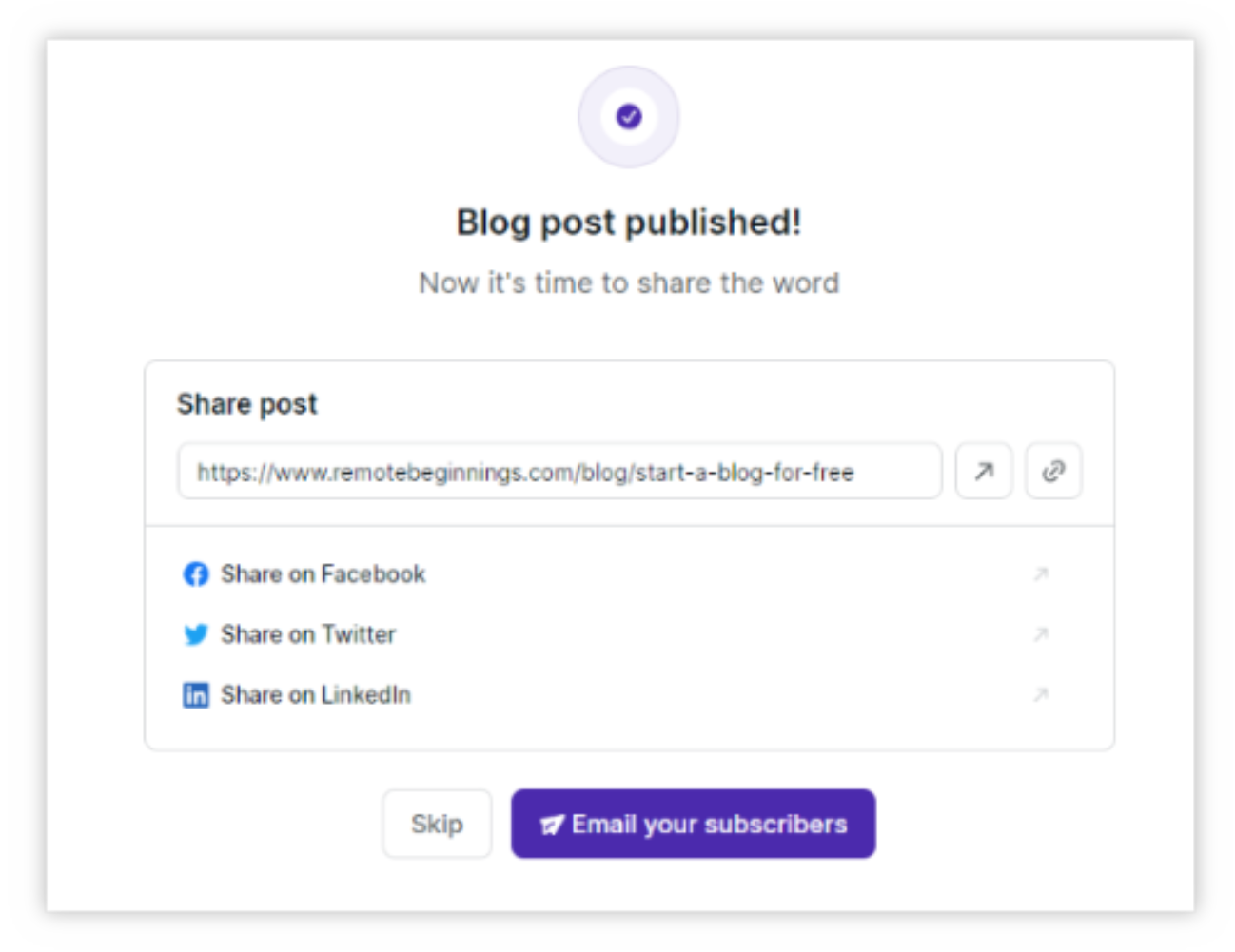
Share your posts on social media, email them to your subscribers, and shout it from the rooftops (figuratively speaking, of course). The more eyeballs you can get on your blog, the better! This leads to new subscribers and sales when done correctly and routinely.
Pinterest is an incredibly powerful tool for promoting blogs as well, especially for beginners.
Here’s why it works so well:
Visual Appeal: Pinterest is a visual search engine. Creating eye-catching pins can attract users to your blog.
High Traffic Potential: Pins can drive significant traffic to your blog posts. Each pin acts as a link back to your content, increasing visibility.
Long Lifespan: Unlike social media posts, pins have a long lifespan. A well-performing pin can continue to drive traffic for months or even years.
Targeted Audience: Pinterest users often search for specific topics, making it easier to reach your target audience.
How to Use Pinterest:
Create a Business Account: Set up a Pinterest business account to access analytics and other promotional tools.
Design Engaging Pins: Use Canva to create attractive and informative pins that link back to your blog posts.
Optimize Your Pins: Use relevant keywords in your pin images, titles, and descriptions to make them more discoverable. You can use Pinterest's search bar or Pinterest Trends to find relevant keywords.
Pin Consistently: Regularly pin new content to keep your audience engaged and attract new followers.
Other promotional strategies include sharing your posts on social media, engaging with your audience through comments and emails, and collaborating with other bloggers in your niche.
Step 5: Monetize Your Blog
Once you have built a steady stream of traffic, you can start monetizing your blog. Here are some common methods:
Digital Products: Create and sell digital products like e-books, courses, or printables that provide value to your audience.
Affiliate Marketing: Promote products or services related to your niche and earn a commission for each sale made through your affiliate links.
Ads: Sign up for ad networks like Mediavine or Google AdSense to display ads on your blog and earn revenue based on clicks or impressions.
Sponsored Posts: Partner with brands to create sponsored content. Brands pay you to write posts that promote their products or services.
RELATED: How to Create Digital Products With Canva
With Podia by your side and a killer blog in your arsenal, there's no limit to what you can achieve!
Learning how to start a blog for free and make money with it is an exciting journey that can lead to personal growth, new opportunities, and even a steady income. By choosing the right niche, creating a strong brand, leveraging Pinterest, and employing effective promotion strategies, you can build a successful blog from the ground up.
So take the plunge, start a blog for free, and post your way to financial freedom. Your future self will thank you for it!
More Goodness For Your Journey
If you enjoyed this blog post, here are more supportive resources to help you on your way!
Work From Home
Learn how to find remote jobs, avoid scams, and more so you can finally begin to work from home!
Online Business
Get simple strategies to earn passive income and build financial freedom for you and your family.
Tools & Resources
Discover the best tools and resources to simplify your remote work or online business journey.
Hi, I'm Aneatra!
The owner and creative juice behind Remote Beginnings. I've also been blessed to work from home and grow my online business for the past 20 years. This is how I learned the ins and outs of earning a living remotely. You can learn more about me here.
Now I'm on a mission to help you do the same... Escape the grind, strengthen your family ties, and enjoy more freedom! No more having to choose between providing for your family or spending time with them when there's room for both.